Examples
Seven complete, tutorial-grade apps built on this library — each one a small, documented codebase exercising a different part of the API. They share the same stack (Expo, NativeWind, React Native Skia) and the same core idea: one worklet renders both the live preview and the export.
git clone <repo> && cd <repo>
npm install && npx expo prebuild && npx expo run:ios   # or run:android
Island Studio — a tiny video editor
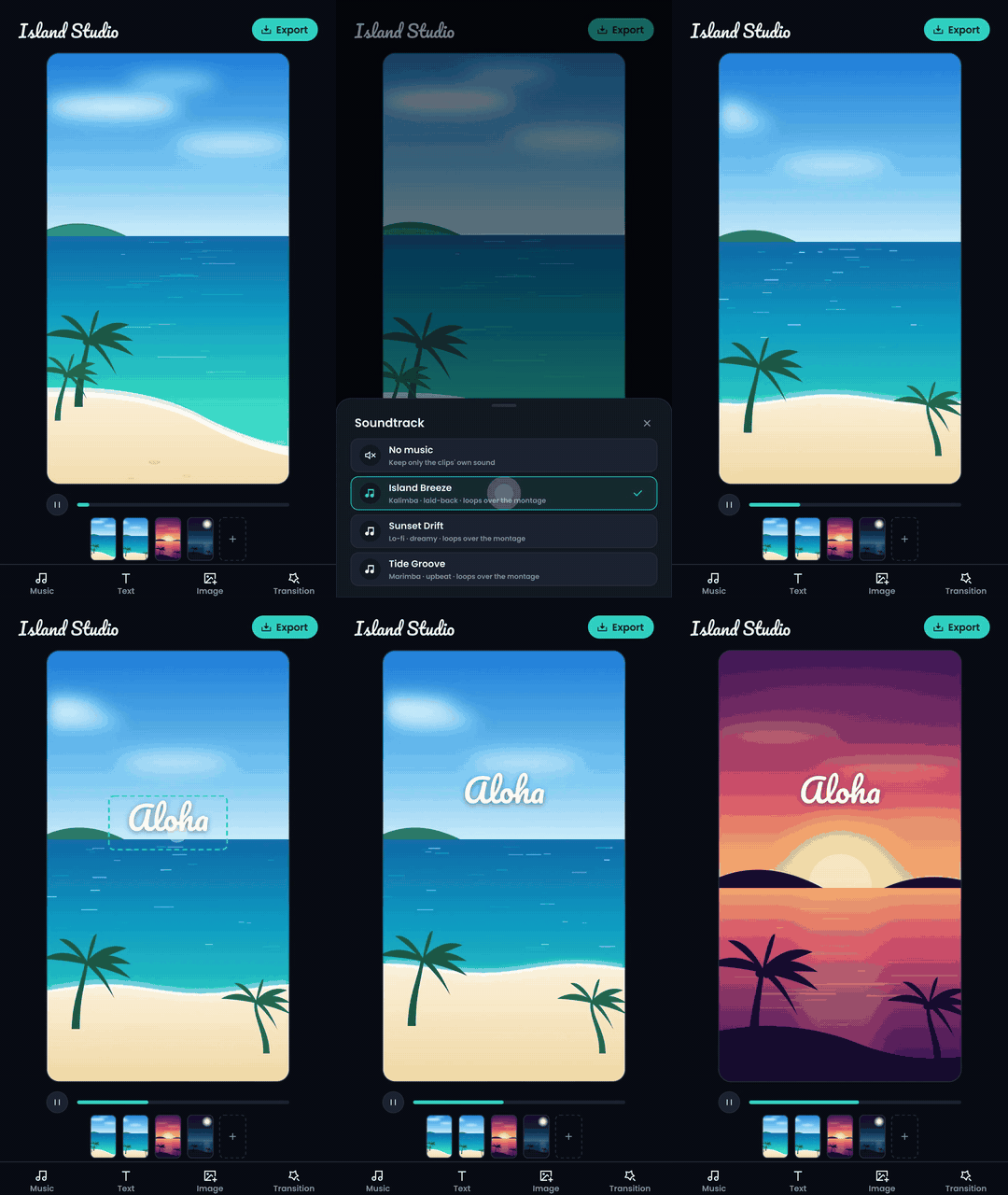
mlecoq/react-native-video-editor — montage of gallery clips (up to 6), SkSL shader transitions between clips, draggable/pinchable text and image overlays with enter/exit animations, looping royalty-free soundtracks, hardware-encoded 1080×1920 export.
What it demonstrates best:
- Timeline with transition overlap — clips store durations; start times
come from an accumulator that overlaps each clip with the previous one, and
both live clips are handed to a transition shader
(
timeline.ts). - Transitions as SkSL shaders — adding one is copy-pasting from
gl-transitions
(
transitions.ts). - Gestures without React renders — drags write into a shared value merged
by the drawer on the UI thread
(
VideoPreview.tsx). - Looping music — chained
kind: 'audio'items (Audio guide).
Caption Studio — auto-captions
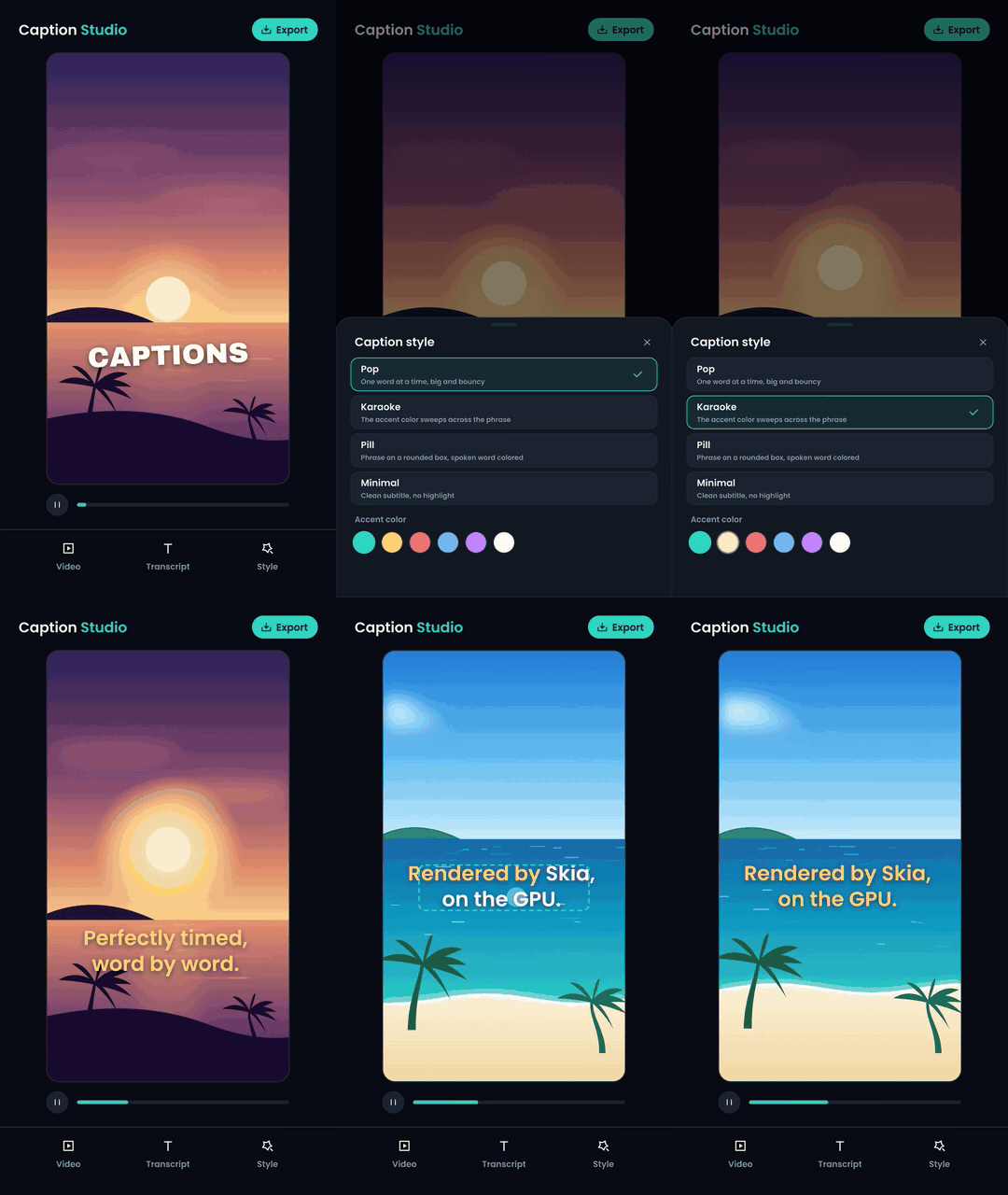
mlecoq/react-native-auto-captions
— burns animated, word-timed captions into any video. Parses Whisper
verbose_json (word timestamps), SRT or plain text; four caption styles
(word-by-word pop, karaoke color sweep, pill box, minimal); drag/pinch
placement; export keeps the original audio. The bundled sample carries a
real neural voice-over aligned with its transcript.
What it demonstrates best:
- Time-driven text — captions are a pure function of
(currentTime, transcript, settings)(drawCaptions.ts). - Paragraph caching — paragraphs are built once per spoken word state
(highlights are styled text runs), never per frame
(
skiaCache.ts). - Passing a video's own audio through the preview and the export
(
audio: trueon the video item).
Wave Studio — a music visualizer
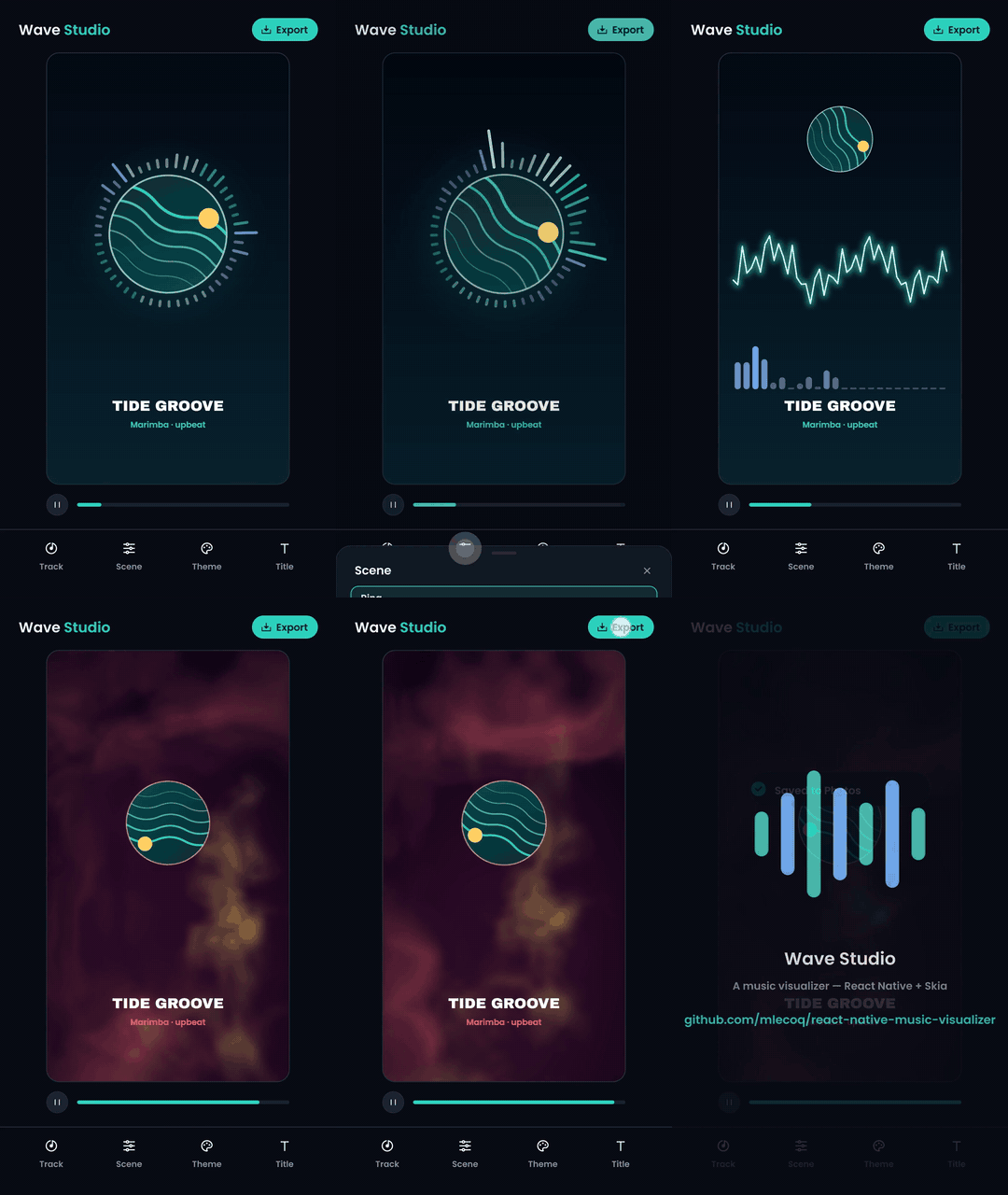
mlecoq/react-native-music-visualizer — flips the pipeline: the composition contains no video items at all, just one audio item. Every pixel is generated from precomputed audio analysis. Three scenes (radial spectrum ring, glowing oscilloscope, audio-reactive SkSL shader clouds), color themes, custom artwork, 1080×1920 export with the track as its soundtrack.
What it demonstrates best:
- Audio-only compositions — the frames extractor drives the clock and
plays the track;
framesstays empty (composition.ts). - Analysis as data, not DSP — bass/mid/high envelopes, spectrum and
waveform are precomputed per frame; the worklet just indexes the JSON
(
scripts/analyze-track.mjs). - Your own music, analyzed on-device — pick any audio file:
react-native-audio-api
decodes it to PCM and the exact same FFT pass runs on the phone, yielding
to the UI under a progress bar — the visualizer can't tell a picked song
from a bundled one
(
analyzeTrack.ts). - Audio bands as shader uniforms — the Nebula scene is a full-screen
SkSL shader whose warp deepens with the bass
(
scenes.ts).
Frame Studio — a screen-recording beautifier
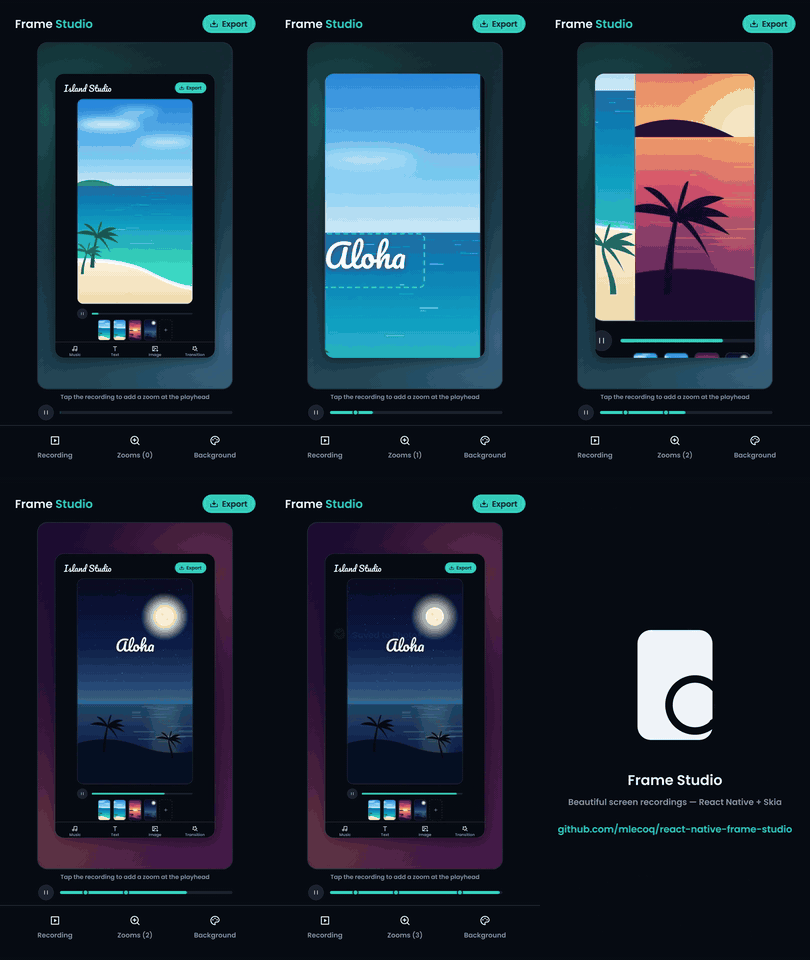
mlecoq/react-native-frame-studio — gives any screen recording a product-demo look: wallpaper gradient background, rounded shadowed frame, and cinematic tap-to-plant zooms that ease in, hold and ease back out. The simplest engine of the series — no text, no images, no audio analysis, just animated geometry over one video.
What it demonstrates best:
- A camera as pure functions — a zoom point plays out as
ease → hold → ease;
getZoomAt(points, t)returns the active transform and edge clamping keeps the wallpaper from leaking through (zoom.ts). - One canvas transform inside a clip — the frame never moves; the
recording glides under a
clipRRect(drawFrame.ts). - Gestures and drawer sharing geometry — the recording's placement is a
pure function used by both the worklet and the tap handler
(
VideoPreview.tsx).
Chroma Studio — a green-screen keyer
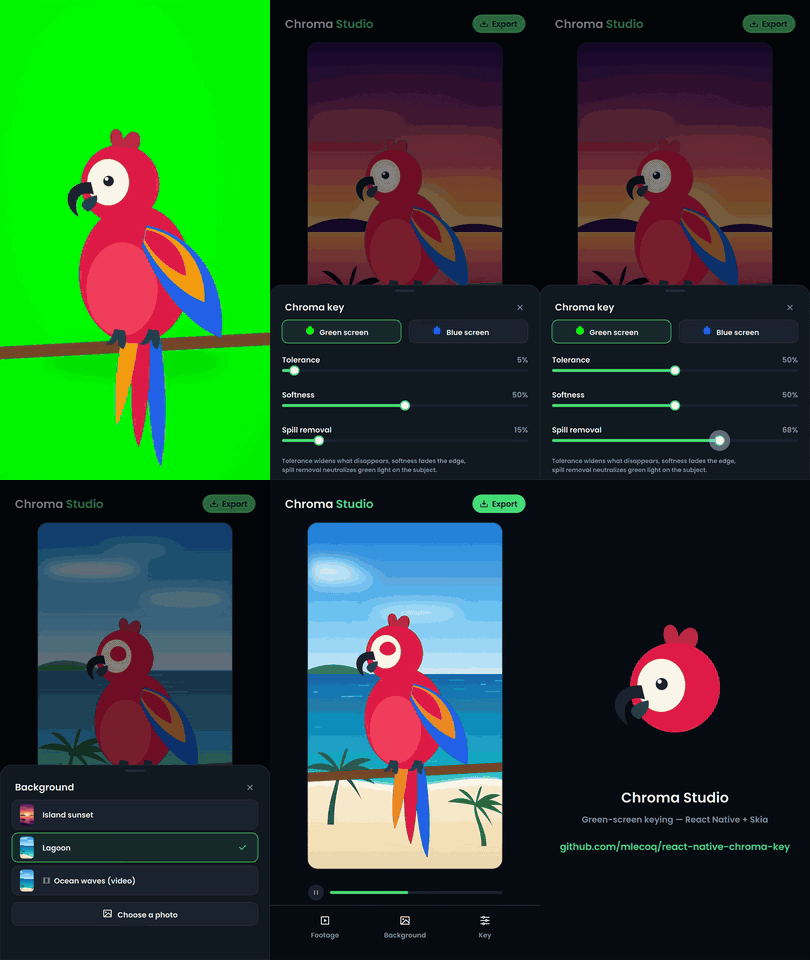
mlecoq/react-native-chroma-key — removes the green screen from a video and composites it over a photo or a looping video, with live keying controls. Ships an animated parrot-on-green sample; the whole effect is one SkSL shader.
What it demonstrates best:
- A video frame as a child shader — the cover-fitted frame shader is
handed to the keying effect via
makeShaderWithChildren, which samples it per pixel (drawFrame.ts). - Keying in the chroma plane — colors are compared on the Cb/Cr axes of
YCbCr, so brightness variations of the backdrop key out together;
tolerance/softness/spill are plain uniforms
(
chromaKey.ts). - Live uniforms without React renders — dragging a slider writes a
shared value the drawer reads on the next frame; release commits to state
(
KeySheet.tsx). - Looping a background video by scheduling — the same file repeated
back-to-back in the composition, the drawer picking the active item
(
composition.ts).
Privacy Studio — on-device face anonymization
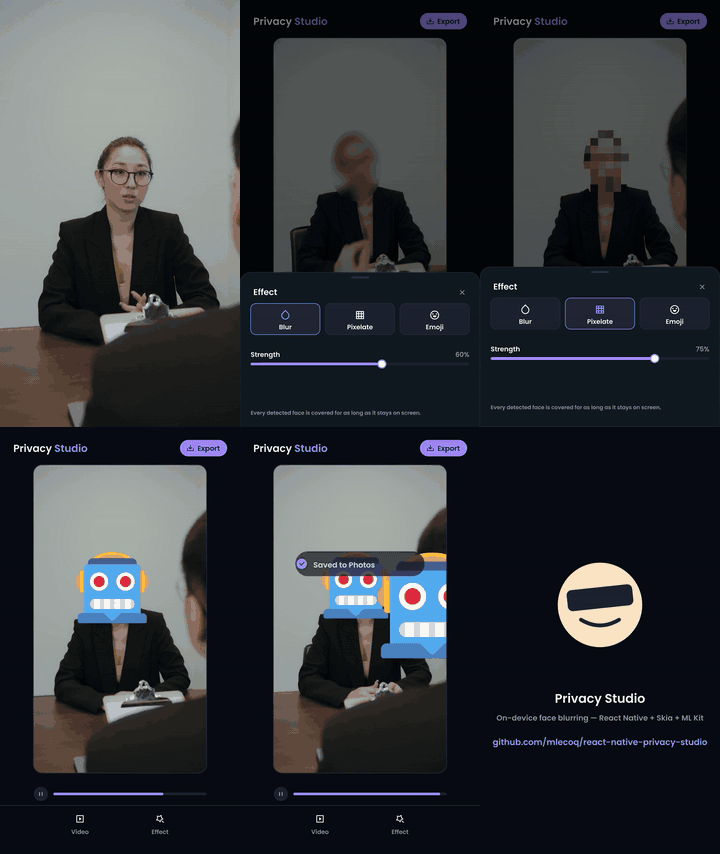
mlecoq/react-native-privacy-studio
— blurs, pixelates or emoji-covers every face in a video. Faces are detected
on-device (Apple Vision on iOS, ML Kit on Android — a 40-line local Expo
module — on frames pulled with expo-video-thumbnails), and the bundled
interview sample ships its face track as JSON — the exact shape the
on-device analysis produces.
What it demonstrates best:
- Feeding ML output into the pipeline — detection runs once when a video
is picked (seconds, with a progress bar), producing plain JSON; playback
and export just interpolate it
(
analyzeVideo.ts). - A local Expo Module when wrappers get in the way — one JS API, Apple
Vision behind it on iOS (simulator-friendly, no ML Kit pod), ML Kit on
Android
(
modules/face-detector). - Detections become tracks — a tiny greedy IoU tracker turns flickery
per-frame boxes into stable per-person tracks that fade in and out; a pure
worklet interpolates them at any playback time
(
faceTracks.ts). - Three effects from one clip — the video shader redrawn through a blur
image filter, a three-line pixelate SkSL, or a Twemoji PNG, clipped to
each face
(
drawFrame.ts).
Reframe Studio — landscape interviews into vertical shorts

mlecoq/react-native-reframe-studio — picks a moment out of a long landscape video, follows the speakers with a virtual camera, transcribes the clip with Whisper on the device and exports a captioned 9:16 short. It puts the face detection of Privacy Studio and the caption engine of Caption Studio behind one pipeline.
What it demonstrates best:
- Trimming is free —
startTimeon the composition item tells the decoder where to begin, so a three-hour podcast costs exactly what a 30-second clip costs. Picking the moment before analyzing is what keeps the on-device face pass — and the Whisper pass — proportional to the clip you keep (composition.ts). - A picker that listens — the audio track is decoded to a plain loudness
envelope (react-native-audio-api):
waveform under the filmstrip, released handles snap to the nearest pause
so a clip never starts mid-word, and the most talkative windows are
offered as one-tap suggested moments
(
moments.ts). - True auto-captions — whisper.cpp transcribes the segment on the phone;
token timestamps are glued back into words and grouped into caption-sized
phrases, all pure functions
(
transcribe.ts). - A camera path, not camera math — dead zone, eased follow with a speed
cap, cuts (never pans) when focus moves to another person, a statue filter
for face-shaped things that never move: decisions that read better as a JS
loop run once after the analysis. The worklet only interpolates the
result, and never across a cut
(
camera.ts). - Two spaces that never meet — the camera works in source space, the
captions in output space, drawn after the crop transform is restored; the
caption engine doesn't even know the video was cropped
(
drawFrame.ts).
Patterns shared by all seven
- One worklet for preview and export — what you see is exactly what you save; there is no second rendering path to keep in sync.
- Resolution independence — all geometry lives in fractions of the canvas, so the small preview and the full-size export render the same composition.
- Assets across worklet runtimes — images travel as raw
Uint8Arrays and each runtime decodes its ownSkImages; the Skia typeface provider is created once on the JS thread and captured by the worklets. Skia objects built inside a runtime (paragraphs, compiled shaders) are cached per runtime onglobalThis. - Worklet helpers are defined before their callers — closures are captured at the definition site; a helper declared further down the file would be captured uninitialized and crash at runtime.
- Version matrix — the examples track the combination shipped in
production by Azzapp:
@shopify/react-native-skia2.10.x, Reanimated 4.5, skia-video 0.10.